Research tools and smoother editorial work
Write researched articles, review contributor drafts and move between workspaces more easily.
AI writing and research
Analytical writing now offers two starting points, with server-managed AI settings.
- Use Source mode with imported article content or Scratch mode to research a topic from a brief. Scratch sends no imported story fields.
- Switch between editing the draft, previewing it and reviewing citations. See additional research pages when the provider includes them.
- Use presets in the selected content language. The analytical controls stay in English and text direction follows the actual content.
- Eligible editors see server-reported model, usage, cost and research counts when available. Errors show actionable retry information.
Contributor review
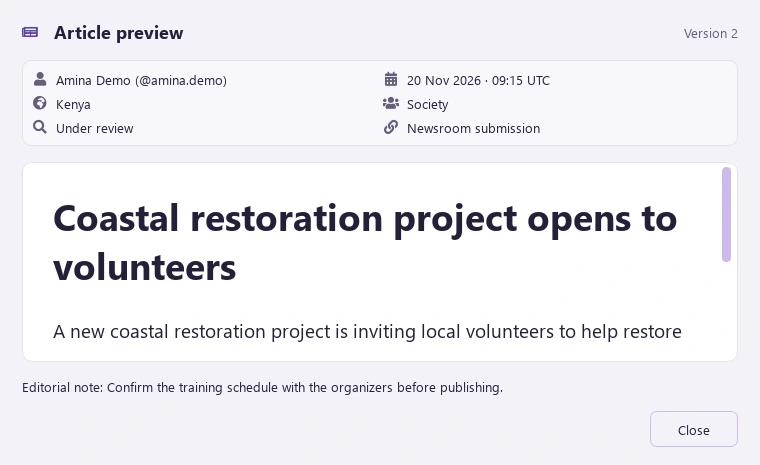
Incoming submissions are easier to find and review from the dashboard and editor.
- The dashboard shortcut displays an incoming-count badge that can refresh while the editor is hidden.
- Review contributor and editorial notes, role, level, age and category using theme-aware labels and icons.
- Review in a reading view that follows editor zoom. Confirm decisions, preserve note editing and remove returned drafts from the active review list.
- Publication summaries list contributor headlines and receipt links. Contributor stories follow their dedicated publish workflow.
Post archive and selective edits
Existing WordPress posts can be reopened with their editorial fields intact.
- Restore recognized Arabic, English and French summaries, author and source credits, background and SEO metadata into their own fields.
- Send only changed categories or content when updating a published post. Keep unrelated sections intact.
- Reuse checkpointed media preparation for galleries and stop the edit if an upload fails. Use summaries or clean article text for SEO and explicitly clear descriptions when needed.
Appearance and navigation
The workspace, login and editor feel more consistent during transitions.
- Light Lavender joins the appearance options. The shared native window keeps its saved position and size when switching workspaces.
- Pages move in the direction of navigation and recover their position if you switch again mid-transition.
- Sign-in runs in the background with feedback on the button and duplicate attempts prevented. The legacy workspace opens on demand.
Updates and patch notes
Updated installations can read a short summary from the dashboard.
- Open Help → Patch notes anytime. The notice links to the full notes for the installed version.
- The existing startup notes remain available. Compatible unofficial builds can receive a separate expiry notice when an official replacement is available.
Where to find it
- AI writing tools
- Post Editor → AI writing tools → Analytical
- Incoming stories
- Dashboard → Contributor drafts
- Appearance
- Dashboard → Settings → Appearance
Screenshots